MAKING DIGITAL MEMORIES
Alchemy (noun) al·che·my | \ ˈal-kə-mē
a power or process that changes or transforms something in a mysterious or impressive way
Every few years something inside me shifts. The transformation is marked by sweeping bouts of anxiety, confusion, ambivalence and tinkering. Those first two are partners in crime working overtime to remake me, to show me a new path forward. In the wake of their onslaught the apathy sets in. Not for me, but for what the old me has created. My eyes have been refreshed and my brain rewired, all of a sudden the old work feels inadequate. It doesn't represent my new way of seeing. Now the tinkering can begin.
This reimagining is not a full scale tossing of the old self, it's more of a refinement. A lens being CLA'd to make the picture more sharp. Lived moments from months, sometimes years prior are revealed to have been consciously excavating the pieces of me that no longer serve me. Perhaps they never did. The work produced during this time can't help but carry the stain of my expired self. I revisit old pieces and think "Why did I shoot that? Why did I process it that way?" I start revisiting the old pieces, altering them slightly, sometimes dramatically. They never resurface in their new form publicly, but the learnings from these experiments emerge in the new works.
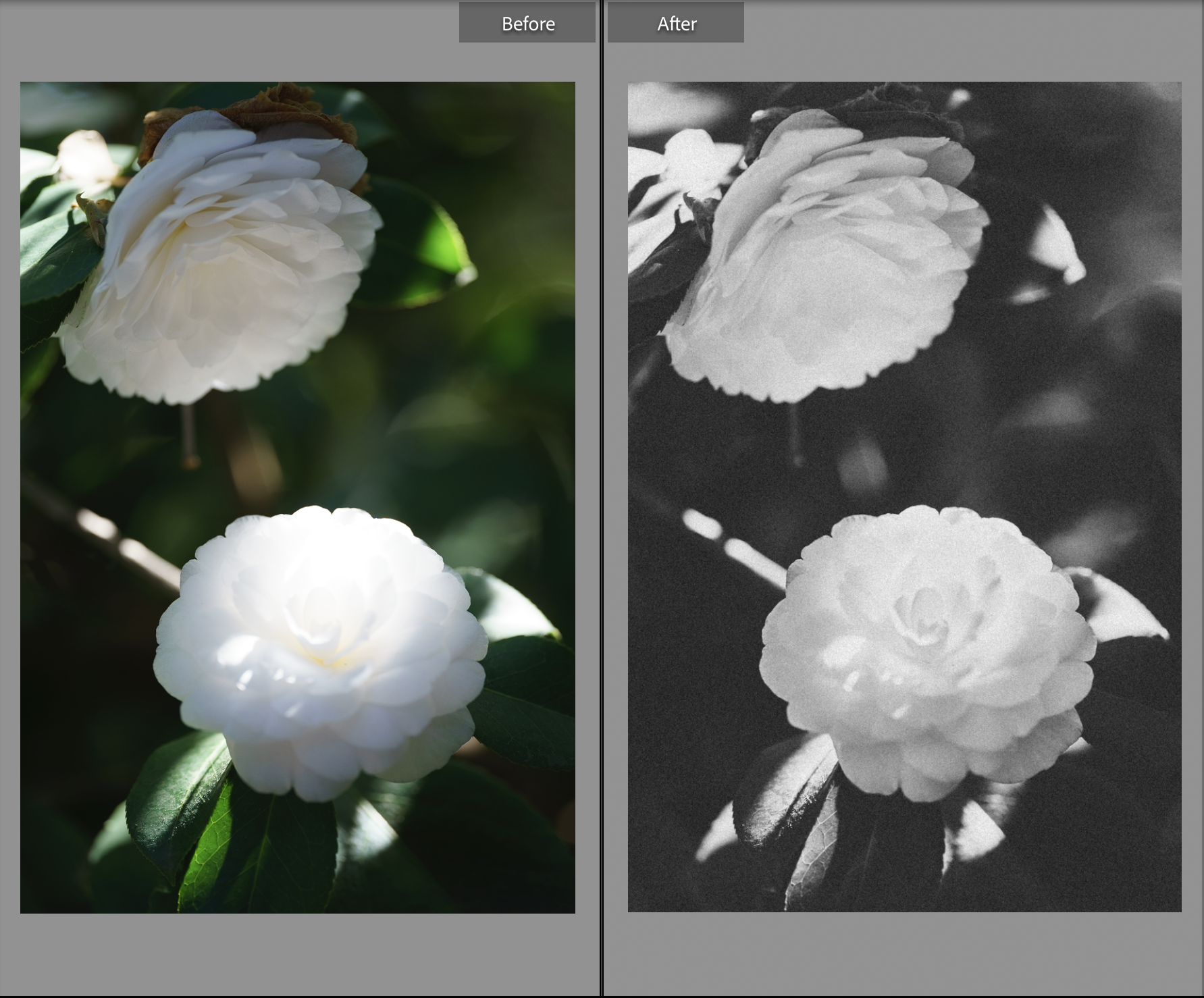
My current area of obsession is image processing, more specifically, creating images that feel like dreams or memories. I found that translating the awe and wonderment of a scene I had experienced was slightly challenging with my current setup. There was a little something missing that wasn't tied to composition or exposure. The images looked right, but didn't feel right. Dreams and memories feel fleeting and fragile; the glimpses of moments or fantasies that stick to us are flashes, often obscured, and slightly hazy. Nothing is ever tact sharp and if it is it doesn't stay that way for long. This is why we replay them so often in our minds, each time hoping to get closer to the full picture. Mustering this feeling in a digital image is a bit tricky. Digital sensors prioritize perfect replication, it's digital's nature. Most modern optics are designed to achieve purity, almost clinically. Sharper, faster, more flare-resistant, perfect. I don't mind this pursuit because it's always better to start with more and reduce, fabricating from nothing is a disaster, always. What many dinosaurs deem a fatal flaw of digital, I view as its greatest attribute. It's infinitely malleable.
I began this exercise by trying to craft LUTs on my own via Photoshop. I spent years moonlighting as a digital imaging tech and it was fun to excavate tricks and processes long buried in that sector of my brain, but I quickly realized that I didn't have the time to do all this work. Fortunately, I didn't have to, the mad lads at Really Nice Images (RNI) had already done it for me. RNI All Films 5 pack is a collection of film profiles, presets, and image processing tools designed to emulate classic film stocks. What makes this pack so good is that the Lightroom edition makes use of Adobe's new(ish) approach to color profiles. Color profiles alter the way the program interprets the raw image, they function on a 1s and 0s level. This gives RNI, and you the user, tremendous control over the starting point of the image. You can adjust the intensity of the profile and RNI has gone to great lengths to ensure these profiles don't break your images (no clipped highlights in sight!). These profiles act as launching points for further edits. If I'm particularly undisciplined during a 2-3 hour live show I can come home with over 1,000 images. You don't want to keep artists waiting forever for images of their performance, so you need to find efficiencies. I experiment with a few images, settle on a look, and then get to batch processing.
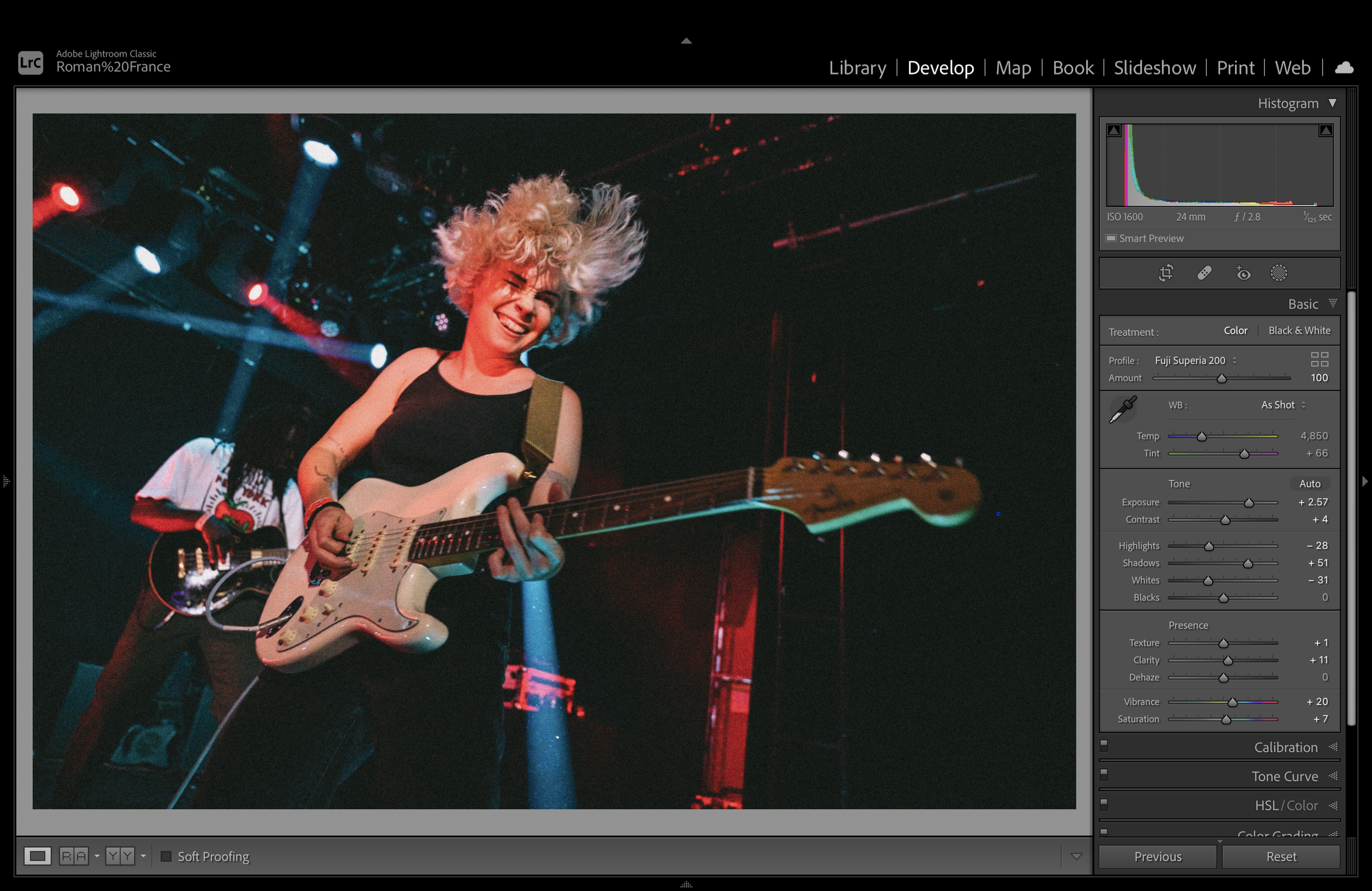
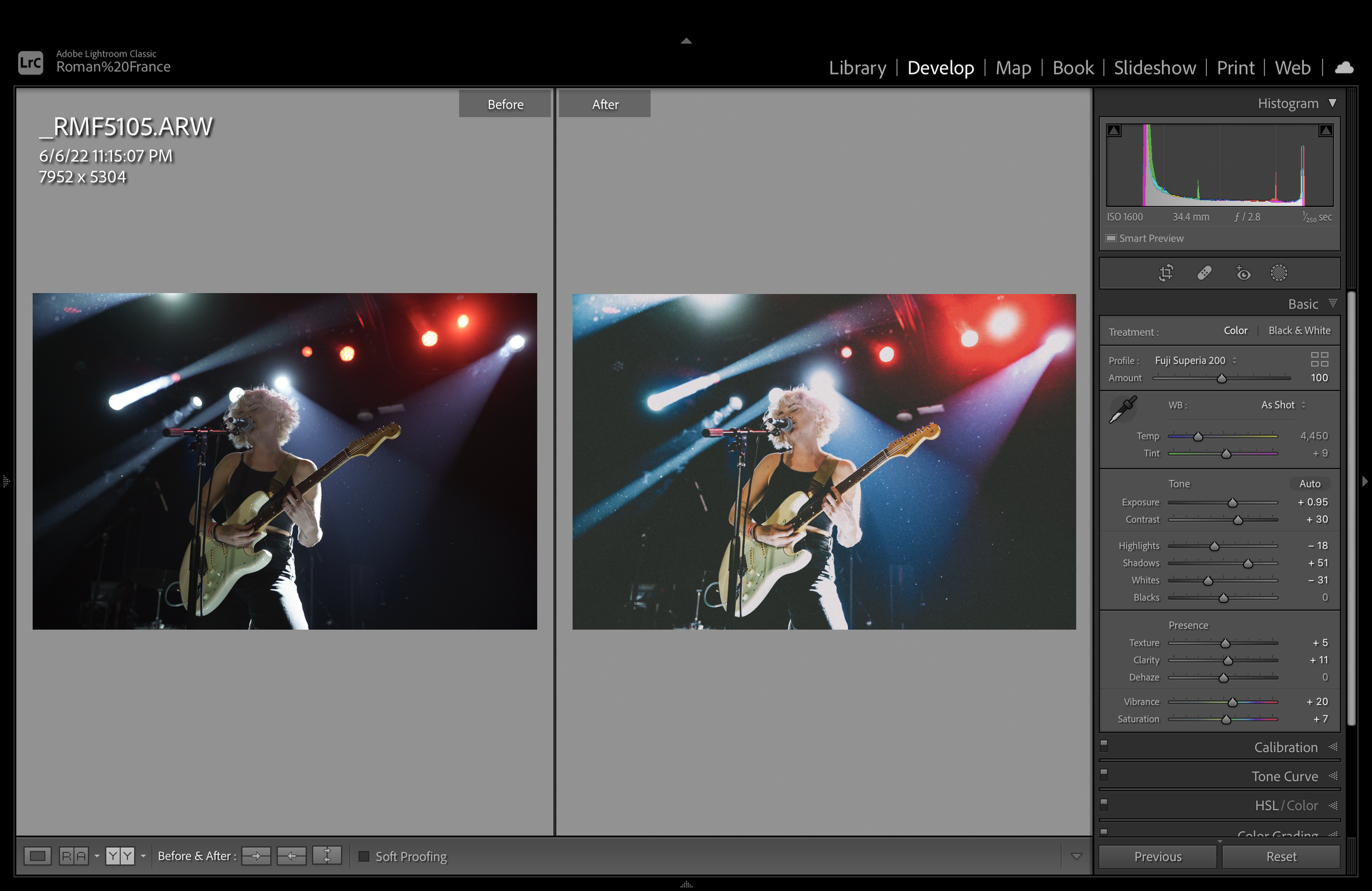
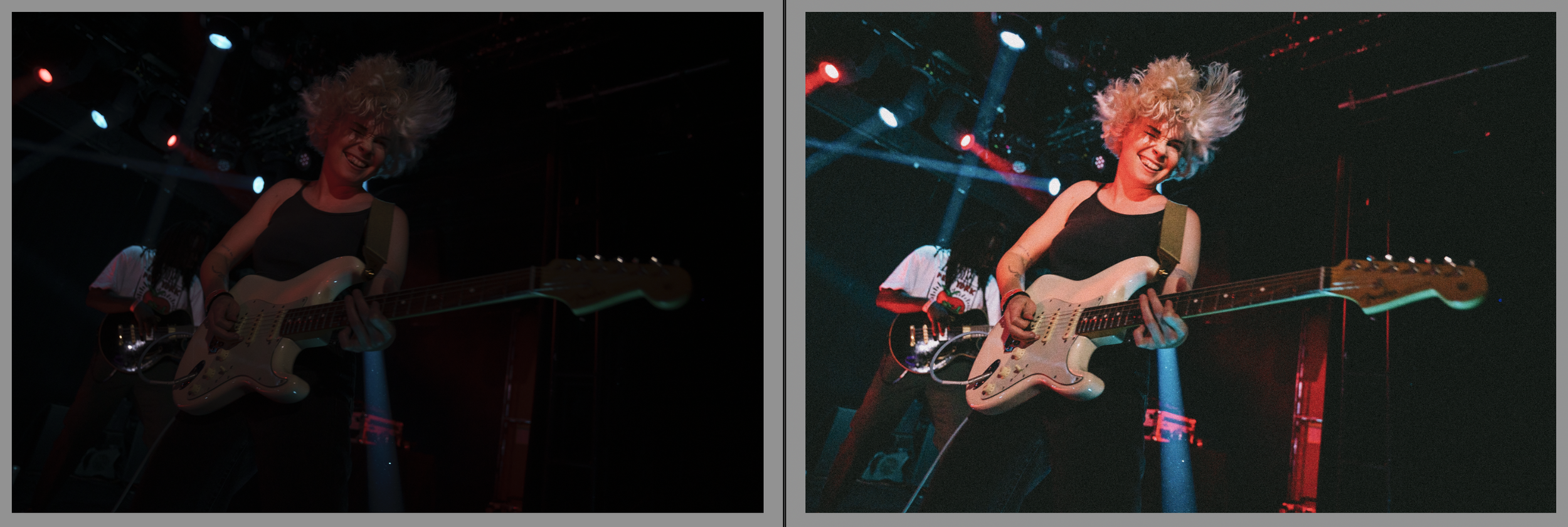
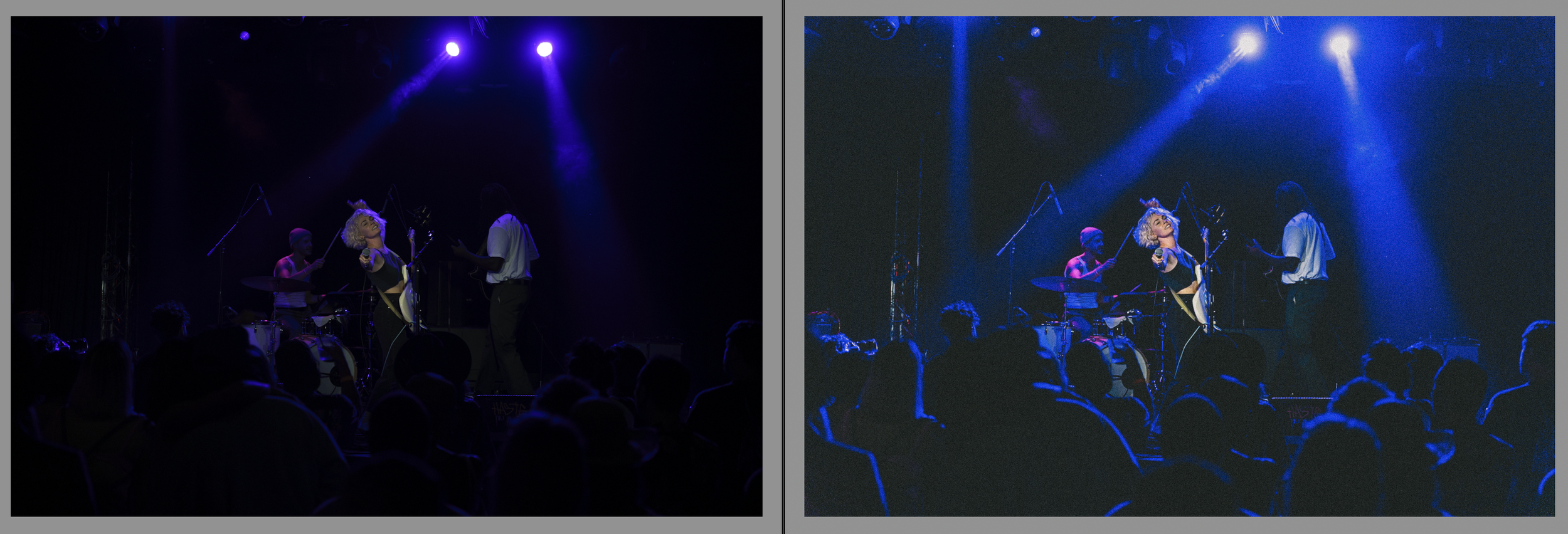
The four pillars of this processing are:
Grain
Haze
Micro-contrast
Color
Grain and texture help make the image feel organic, as if there are living elements dancing across the frame carrying the light and color to compose the image. Pixel grids don't hit the same, too much science, not enough magic. Haze and bloom is a bit more nebulous and is applied less uniformly. In some images it makes sense to kill your contrast and soften your highlights, in some images that contrast *is* the image. Micro-contrast, often also described as clarity, can make the image a little crunchy, it in combination with grain gives the image some bite. Color shifts are even less uniformly applied than haze. What I do to the colors is dependent on the scene settings and if I'm actually trying to replicate a certain stock. Most of this processing can't be felt via platforms like Instagram, but they've declared still images dead anyway, so who cares. I have this here blog and I print my images, so I can see everything.
I don't know how long this treatment style will last. It's possible that I grow tired of it and begin to shift in another direction, but that feels unlikely. The look isn't quite set it and forget it, I will continue to refine the process, and shift the application to suite the needs of the project. It feels like digital photography has plateaued a bit, leading image makers to tinker with images they used to take as is. Greig Fraser is shooting digital, printing to film, and then scanning his print to add texture to projects like DUNE and THE BATMAN. Steve Yedlin and his crew have built their own procedural grain algorithms for his projects, while Deakins has leaned into digital and bent its inherent features to his sensibilities. Everyone is tinkering and movies and photos have never looked better.